
INSEJUPY Electronic Document & QR Verification Guide
An authoritative technical and legal guide for verifying digital stamps, cryptographic electronic signatures (e.firma), and official QR codes on INSEJUPY certificates, cadastral documents, and title deeds across Yucatán.
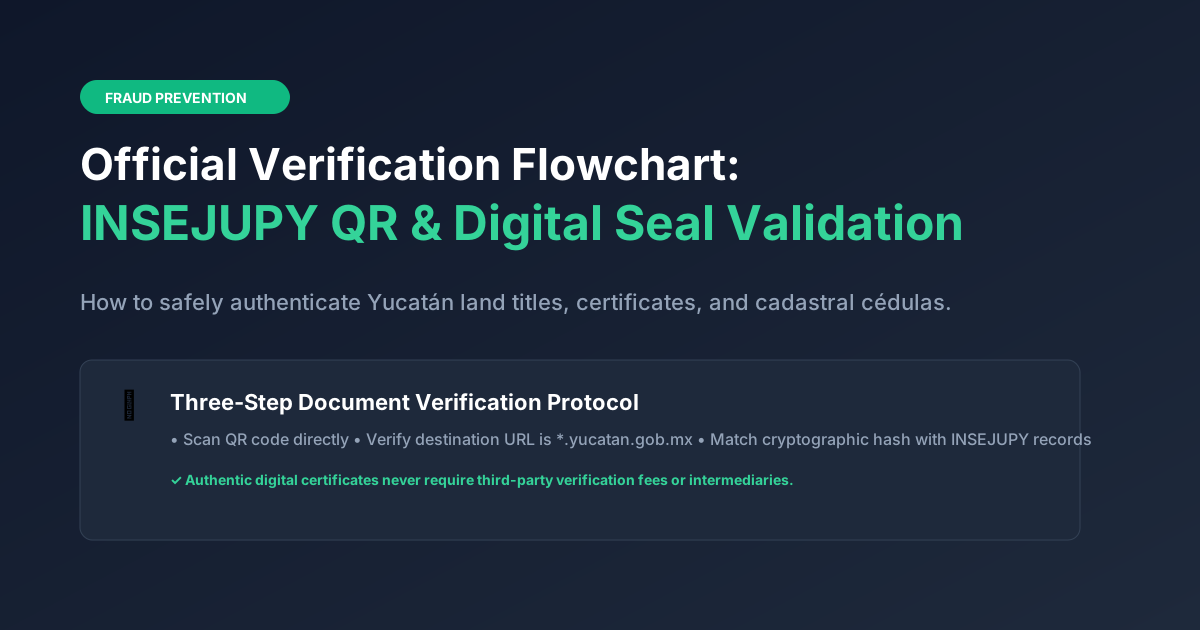
Electronic Document & QR Verification Guide
How to verify digital stamps, electronic signatures, and QR codes on official INSEJUPY certificates and cadastral documents.
This independent website does not certify, issue, or validate government certificates. Any tool claiming to validate Mexican government titles simply by uploading an image on a third-party website is unreliable. Always verify digital certificates directly through official state platforms.
Method 1: Official Mobile App
Use the official "Consultas INSEJUPY" app available for iOS and Android. Built-in scanner validates QR codes against the central state database.
Method 2: State Web Verification
Access the official Government of Yucatán portal to verify electronic seals by inputting the verification code (Código de Verificación) printed on your document.
Method 3: Notaría Ratification
For pending property transfers, submit the certificate to your chosen Yucatán Notario Público, who executes certified validation directly with the registrar.
What to Examine on an Official INSEJUPY Certificate
- Código QR Oficial (QR Code): When scanned, the QR code must resolve directly to a government URL under the domain ".yucatan.gob.mx". Check the URL carefully.
- Cadena Original & Sello Digital: A cryptographic alphanumeric hash at the bottom of the document representing the digital signature of the registrar.
- Folio y Fecha de Expedición: The date and time of certificate generation down to the second, matching the electronic database timestamp.
- Firma Electrónica Avanzada (FIEL / e.firma): Official legal validity backed by Mexican electronic commerce and digital signature laws.
Real Estate Fraud Prevention in Yucatán
With unprecedented domestic and foreign capital flowing into the Yucatán real estate market—fueled by Mérida's top-tier national safety rankings, Progreso port modernizations, and coastal eco-developments—counterfeit documents and fraudulent PDF certificates have unfortunately emerged.
Unscrupulous brokers or illegitimate developers sometimes distribute doctored copies of Certificados de Libertad de Gravamen or fake cadastral cédulas to convince buyers to transfer non-refundable earnest money deposits. Fortunately, the State of Yucatán has implemented advanced cryptographic digital infrastructure that enables instantaneous independent verification.
The 4 Golden Rules of Document Authentication
- Domain URL Validation: Scan the printed QR code with your smartphone camera. The resolved browser URL must strictly end with the sovereign government top-level domain
.yucatan.gob.mx. If it points to any private server, bit.ly, Dropbox, or Google Drive, the document is counterfeit. - Cryptographic Digital Stamp (Sello Digital): Authentic documents include a unique 64-character hexadecimal SHA-256 string generated by the state certification authority. This hash must match the state database record byte-for-byte.
- Official Certifier Key (Certificado de la Autoridad): Verified certificates feature the public key identifier of the state registrar who qualified the document, backed by the Root Certificate Authority of the Government of Yucatán.
- Direct Notary Corroboration: Never accept a title deed from a seller without contacting the issuing Notaría Pública directly using their public directory contact information to confirm the volume protocol number.
Anatomy of an Authentic vs. Counterfeit INSEJUPY Document
| Security Feature | Authentic INSEJUPY Certificate | Counterfeit or Altered Document |
|---|---|---|
| QR Destination | Direct HTTPS link to srvshyweb.yucatan.gob.mx or insejupy.gob.mx |
Shortened URL (bit.ly, tinyurl), cloud folder, or generic landing page |
| Sello Digital | Official alphanumeric cryptographic hash matching state database | Static decorative text, missing hash, or mismatched characters |
| Folio Electrónico | Resolves to active digital ledger displaying live property parameters | Folio number returns "No records found" in the official RPP search |
| State Watermark & Header | High-resolution vector coat of arms with official state typography | Pixelated, low-resolution scanned government logos with visual artifacts |
Step-by-Step Document Validation Protocol
-
1
Scan the QR Code on the Physical or Digital Certificate
Open your smartphone camera or use the official "Consultas INSEJUPY" mobile app barcode scanner. Hold your camera over the QR code printed at the footer of the document.
-
2
Verify the SSL Certificate and Government Domain
Before trusting the screen, inspect your browser address bar. Ensure the URL begins with "https://" and the root domain is explicitly "yucatan.gob.mx".
-
3
Compare Document Metadata Side-by-Side
The government verification webpage will display the official original issuance date, applicant name, Predio number, and status. Confirm that every detail matches the paper copy in your hands.